
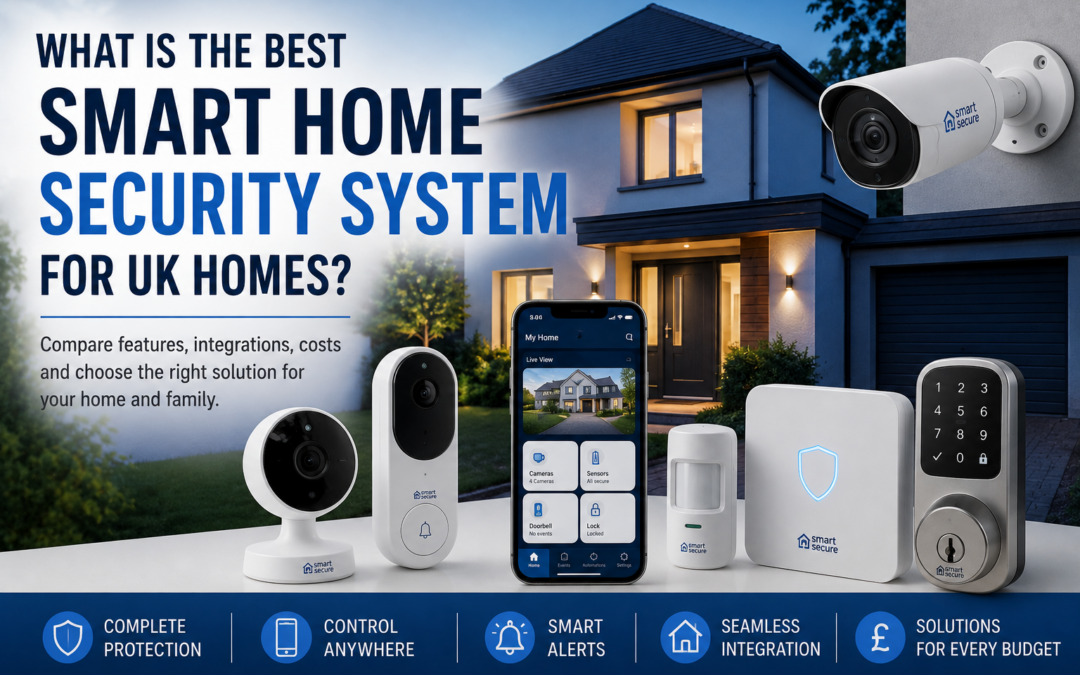
The best smart home security system for a UK home is one that combines reliable protection with convenient smart features that suit the property, household and budget. A good system might include security cameras, video doorbells, motion sensors, alarms and smart locks, all connected through an app or central smart home platform.
However, there is no single security system that will be the best choice for every home.
A small flat may only require a video doorbell and indoor camera, while a detached family home could benefit from multiple outdoor cameras, motion detection, door and window sensors and other connected security devices.
Understanding the available features and how different devices work together can help you create a smart security system that provides practical protection without paying for technology you do not need.
Smart & Secure offers a range of smart security and CCTV products that can be integrated into a wider smart home setup.
What Is a Smart Home Security System?
A smart home security system uses internet-connected devices to help you monitor and protect your property.
Unlike traditional security systems that might rely primarily on a standalone alarm, smart security devices can communicate with your smartphone and, in many cases, other devices throughout your home.
Depending on the products you choose, this could allow you to:
- View live security camera footage remotely
- Receive motion alerts on your smartphone
- See who is at your front door
- Communicate with visitors remotely
- Monitor doors and windows
- Control smart locks
- Trigger lighting or other smart devices
- Review recorded footage
- Create automated security routines
The main advantage is greater visibility and control, whether you are at home, at work or away.
What Is the Best Smart Home Security System?
For most UK homes, the best smart home security system is a combination of devices rather than one standalone product.
A comprehensive setup could include an outdoor security camera covering the driveway, a video doorbell monitoring the main entrance, sensors protecting accessible doors and windows and an indoor camera covering an important area of the property.
These devices can then work alongside other smart home technology.
The exact combination will depend on the layout of your property and the areas you most want to protect.
Before purchasing equipment, it is worth exploring the different security and CCTV options available and deciding which areas of your home require additional protection.
Smart Security Cameras
Smart security cameras are one of the most popular components of a modern home security system.
Unlike conventional CCTV systems, many smart cameras allow homeowners to view live footage directly from a smartphone.
Depending on the model, features may include motion detection, night vision, two-way audio, recording and intelligent alerts.
Outdoor cameras are particularly useful for monitoring areas such as:
- Driveways
- Front gardens
- Side entrances
- Garages
- Rear gardens
- Outbuildings
Indoor cameras can provide additional visibility within the property.
When comparing cameras, consider image quality, viewing angle, night-time performance, storage options and how alerts are delivered.
Video Doorbells
A smart video doorbell can be one of the easiest ways to improve security around the main entrance to your home.
When someone approaches or presses the doorbell, you can receive a notification on your smartphone.
Many models allow you to see and speak to the visitor without opening the door – and potentially without even being at home.
This can be useful for identifying unexpected visitors, checking deliveries or monitoring activity around your entrance.
When choosing a video doorbell, look at factors such as video resolution, field of view, night vision, motion detection and compatibility with your existing smart home system.
You can explore compatible devices alongside other smart home security products.
Motion and Contact Sensors
Cameras are only one part of smart home security.
Sensors can provide another layer of protection.
Door and window contact sensors can detect when an entry point has been opened, while motion sensors can identify movement within a particular area.
These sensors become particularly useful when connected to a broader smart home system.
For example, opening a door while the household is away could trigger an alert. A motion sensor could activate smart lighting, while several devices could work together as part of an automated security routine.
This type of integration is one of the major differences between traditional and smart security.
Smart Locks
Smart locks provide additional control over access to your property.
Depending on the system, they can allow doors to be locked or unlocked without relying solely on a conventional key.
Some smart locks provide remote access through an app, while others support PIN codes, temporary access or automated locking.
Temporary access can be particularly useful if you regularly need to allow family members, cleaners or other trusted visitors into your home without providing permanent keys.
As with any security product, compatibility and reliability should be considered carefully.
Smart Home Integration
One of the biggest benefits of investing in smart security is the ability to connect security devices with the rest of your smart home.
Rather than operating every product independently, compatible devices can work together.
For example, you might create an “Away” routine that automatically:
- Locks compatible doors
- Arms security sensors
- Activates cameras
- Turns selected lights off
- Keeps external security lighting active
- Sends alerts if unexpected movement is detected
A different routine could be used at night.
This level of automation can make home security more convenient because you do not need to remember to adjust every device separately.
When shopping for smart security and CCTV equipment, check which smart home platforms and ecosystems each product supports.
Do Smart Security Systems Require a Subscription?
This depends on the manufacturer and individual product.
Some smart security devices provide their main features without an ongoing subscription, while others charge for services such as cloud video storage, extended recording history or advanced notifications.
This is important when comparing costs.
A camera that initially appears inexpensive could potentially cost more over several years if a subscription is required for the features you actually want to use.
Before buying, check:
- Whether a subscription is required
- What features work without a subscription
- Cloud storage costs
- Whether local storage is available
- How long recordings are retained
- Whether advanced detection features cost extra
Comparing the total cost of ownership rather than just the purchase price can give you a better idea of which system provides the best value.
How Much Does a Smart Home Security System Cost?
The cost can vary considerably depending on the size and complexity of the system.
A simple setup with one camera or video doorbell can be relatively affordable.
A larger property requiring several cameras, sensors and other connected devices will naturally cost more.
Installation may also need to be considered, particularly for hardwired cameras or more advanced systems.
Rather than choosing a system based entirely on price, consider which areas of the property genuinely require protection.
A carefully planned system with fewer well-positioned devices can sometimes be more useful than purchasing numerous products without considering their placement.
Wired vs Wireless Smart Security
Both wired and wireless devices have advantages.
Wireless devices can often be installed more easily and provide greater flexibility over positioning. Battery-powered products may also be suitable where running additional cabling would be difficult.
However, batteries need to be monitored and recharged or replaced.
Wired security cameras can provide a more permanent solution and may be preferable for homeowners who want continuous monitoring without worrying about battery levels.
Your home’s layout, Wi-Fi coverage and installation requirements will influence which option is most appropriate.
Look for Intelligent Notifications
One of the potential frustrations with security cameras is receiving too many alerts.
A camera that sends a notification every time a tree moves or a cat walks across the garden can quickly become annoying.
Modern smart security devices increasingly use more intelligent detection to distinguish between different types of activity.
Depending on the product, this could include detecting people, vehicles, packages or other movement.
More accurate notifications make it easier to identify events that genuinely require your attention.
Don’t Forget Your Wi-Fi Network
Smart security relies heavily on connectivity.
Installing several high-resolution cameras around a property may place additional demands on your home network, particularly if devices are located far away from the router.
Before installing a system, consider whether your Wi-Fi signal adequately covers areas such as the front door, garage and garden.
A strong and reliable network can make a substantial difference to how well smart security devices perform.
How to Choose the Right Smart Security System
Start by identifying the areas of your property that present the greatest security concerns.
Walk around your home and consider potential entry points and areas that are difficult to see.
Think about:
- Front and rear doors
- Ground-floor windows
- Side access
- Driveways
- Garages
- Gardens
- Sheds and outbuildings
You can then choose products specifically for those areas rather than purchasing a generic package.
Next, consider how you want to control the system.
If you already use smart home products, choosing compatible security devices can make it much easier to create useful automations and manage everything from the same ecosystem.
Finally, compare the purchase price, installation requirements and any ongoing subscription costs.
Building a Smarter, More Secure Home
The best smart home security system is not necessarily the one with the most cameras or the highest price tag.
It is the system that provides the right level of protection for your property while remaining simple enough to use every day.
For some households, that could mean a video doorbell and one outdoor camera. For others, it could involve a comprehensive network of cameras, sensors, smart locks and automated routines.
The advantage of smart home technology is that you can often build your system gradually.
Start with the areas where additional security would provide the greatest benefit and expand the system as your requirements change.
Explore the range of smart security and CCTV products available from Smart & Secure to find devices that can help you build a connected security setup around your home.